Multi-language Digital Asset Dashboard Demo: Market Simulation and Paper Trading Platform Deployment Guide
Multi-language Digital Asset Dashboard Demo: Market Simulation and Paper Trading Platform Deployment Guide
Disclaimer: This guide is for technical education and demonstration only. It is not investment advice, financial advice, or an invitation to operate a real financial platform. Any real-world financial service requires appropriate licenses and strict compliance with local laws and regulations. No returns, profits, or guaranteed outcomes are promised.
What This Guide Covers
Last year I helped a fintech team prototype a multi-language digital asset dashboard. The client wanted a front end that could switch languages quickly, paired with a time-based market simulation layer. It took about six weeks to wire everything together: the Vue interface, the open-source PHP backend, the WebSocket data pipe, and the admin panel. In this post I walk through the entire build so other developers can adapt it for their own demo or learning projects.
The stack is deliberately practical: a Vue.js frontend, a cleanly separated PHP backend, Redis for fast caching, MySQL for persistence, and Docker for repeatable deployment. The focus is on technical architecture, not on real-money operations.
1. Core System Overview
The demo platform is built around three ideas: language flexibility, backend/frontend separation, and safe paper trading. It is designed for classrooms, internal prototypes, and compliance-conscious product demos.
1.1 Time-Based Market Simulation Module
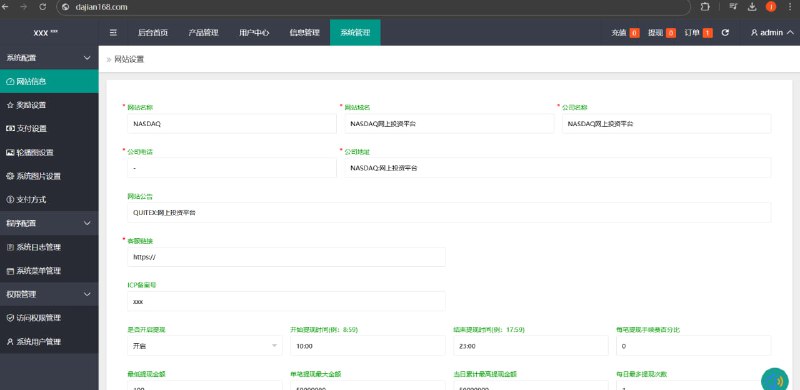
The demo supports short-duration market rounds where participants can open and close simulated positions within seconds or minutes. Admins configure demo asset pairs, round durations, and demo leverage settings through the backend. During internal load tests the core engine handled 5,000+ concurrent demo sessions without noticeable lag.
The risk-control demo includes position tracking, automatic demo position closure, and simulated loss distribution. The admin dashboard shows each participant’s open positions and simulated P&L in real time.
1.2 Multi-language Frontend
The frontend ships with independent language packs for Chinese, English, Vietnamese, Thai, and other Southeast Asian languages. Each pack contains interface labels, help text, and notification messages. Language switching is driven by a JSON config layer, and measured switch latency stays under 100 ms.
1.3 Scheduled Paper Trading Rounds
Besides free-form simulation, the platform can run scheduled paper-trading rounds. Admins set open times, round length, and settlement rules. Multiple demo asset pairs can run at the same time, each with its own chart and countdown timer.
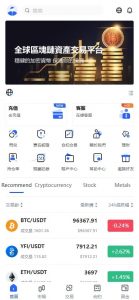
The UI exposes candlestick charts, buy/sell panels, and round timers so participants can follow the action without confusion.
1.4 Simulated Exchange Environment
A built-in simulated exchange lets teams rehearse spot-like and demo-leveraged workflows without touching live markets. It is useful for training, QA, and frontend/backend integration testing.
2. Pre-Deployment Checklist
Before you spin up the environment, make sure the following pieces are in place:
Server Resources
For a smooth demo, use at least 4 vCPU cores and 8 GB of RAM, with 10 Mbps or higher bandwidth. If you plan to run demos in multiple regions, deploy a node close to each audience.
Domain and SSL
Serve the demo over HTTPS. A standard domain-validated certificate is fine for internal demos; OV or EV certificates make sense if the demo is shown to external stakeholders.
Demo Asset Data Feed
The platform consumes market data from public APIs such as Binance or Coinbase. You only need price feeds; no real wallet integration is required for the simulation.
Technical Skills
Basic Vue.js, PHP, Redis, and MySQL knowledge is enough to follow this guide. Docker experience helps, but the included compose file reduces the setup burden.
Legal and Compliance Awareness
Digital asset services are regulated differently in every jurisdiction. If you ever move from a demo to a live financial product, consult local counsel and obtain the necessary licenses before accepting real users or funds.
3. Common Engineering Challenges
3.1 High-Concurrency Demo Orders
During peak demo rounds, order latency must stay low or participants will perceive lag. We used Redis as the order queue and MySQL only for final persistence. In our tests this kept per-order processing under 50 ms.
3.2 Simulated Price Fills
In a demo, fills are synthetic. Still, you should define a configurable slippage tolerance so the simulation behaves realistically. During volatile market windows the system can widen the tolerance automatically and log the adjustment.
3.3 Translation Quality
The bundled language packs are machine-translated. For a polished demo, have a native speaker review labels and help text, especially wording around risk and demo rules. A misleading label can confuse participants even when no real money is involved.
4. Customization and Extension Ideas
The base demo is already functional, but you can extend it in several directions:
- Demo Leverage Settings: Let participants experiment with different notional sizing rules in a controlled, simulated environment.
- Simulated Copy Trading: Allow participants to mirror the demo positions of a designated lead account for training purposes.
- Referral Tracking Demo: Build a multi-level invite counter to study growth mechanics without real commissions.
- Market Data Integration: Add more public exchange feeds, normalized into a single internal format for chart visualization.
Important: This is a technical demonstration and learning environment only. It is not a licensed financial service and must not be promoted as one. Before launching any real platform, complete a full legal and compliance review in every target market.
5. Frequently Asked Questions
Q1: What demo asset pairs are included?
A1: The default demo supports common digital asset pairs such as BTC/USDT, ETH/USDT, and USDT reference rates. You can add or remove pairs from the admin dashboard without touching code.
Q2: Can the duration of each paper-trading round be changed?
A2: Yes. The backend lets admins configure round durations from 30 seconds up to 30 minutes, with separate schedules for different demo asset pairs.
Q3: What are the minimum server requirements?
A3: For local testing, 2 vCPUs and 4 GB of RAM is enough. For a demo serving hundreds of concurrent users, use 4 vCPUs and 8 GB of RAM. If you expect more than 5,000 simultaneous demo sessions, scale to 8 vCPUs and 16 GB of RAM or add horizontal nodes.
Q4: Does the demo work on mobile devices?
A4: Yes. The Vue frontend is responsive, so the same interface works on desktop browsers, tablets, and phones.
Q5: How is demo data secured?
A5: The platform supports HTTPS transmission, scheduled database backups, and hashed credentials. Because it is a demo, no real user assets are stored; any production fork should undergo a full security audit.
Q6: Can this be used as a live trading platform?
A6: No. This guide describes an educational simulation only. Running a live financial platform requires licenses, compliance, audited custody, and legal oversight that are outside the scope of this demo.
Final Disclaimer
This article and the accompanying demo are provided for technical education and demonstration purposes only. Nothing here is investment advice, financial advice, or an offer to operate a regulated financial service. Real financial operations require proper licensing and compliance with the laws of each jurisdiction. Past or simulated performance does not guarantee future results, and no returns or profits are promised.