Custom Demo Trading Dashboard Setup: Complete Deployment Guide for Market Simulation and Multi-Language Paper Trading Platform
Custom Demo Trading Dashboard Setup: Complete Deployment Guide for Market Simulation and Multi-Language Paper Trading Platform
Disclaimer: This guide is for technical education and demonstration only. It is not professional or financial advice. Real financial operation requires appropriate licenses and compliance with local laws and regulations. No simulation outcomes, gains, or performance are guaranteed.
I’ve handled multiple demo trading dashboard deployment projects, and custom versions are always the most complex — each client has different requirements. Some want market data integration, others need multi-language support, and some want to run forex and futures simulations. This article consolidates our team’s experience handling custom demo trading dashboards, covering everything from environment preparation to feature integration.
1. Core Features of Custom Demo Trading Dashboards
Compared to standard versions, custom demo trading dashboards typically include these differentiated functional modules:
- Multi-Instrument Simulation: One-stop support for market data (A-share market data), forex (USD/EUR/GBP and major currency pairs), futures (gold, crude oil, copper and other commodities)
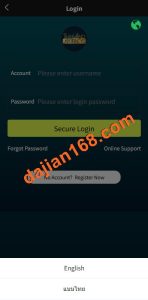
- Multi-Language Frontend: Vue3 framework with i18n for hot language switching, supporting Simplified/Traditional Chinese, English, Hindi, Arabic, and more
- Market Data Integration: Supports third-party market APIs (Sina Finance, Tonghuashun), as well as MT4/MT5 price feeds
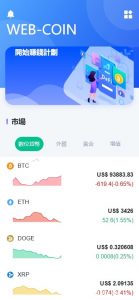
- K-Line Charts: TradingView chart component integration with minute, hourly, and daily chart switching
- Risk-Control Simulation: Stop-profit/stop-loss settings, gain-loss ratio control, per-trade limits, daily limits
- Account Balance System: Virtual deposit examples, payment gateway integration, wallet simulation for demonstration
- Partner Referral Simulation: Multi-level referral structure supporting demo activity volume or simulated outcome sharing
2. Pre-Setup Preparation
Before starting deployment, confirm these requirements — otherwise the setup effort will be wasted:
- Server Configuration: Minimum 4-core 8GB RAM, recommend 8-core 16GB; market data push and WebSocket concurrency are CPU-intensive
- Bandwidth: At least 20Mbps; market data push traffic is heavy and can cause lag with many users
- Operating System: CentOS 7/8 or Ubuntu 20.04; Ubuntu recommended for easier package management
- Environment Dependencies: Nginx 1.18+, PHP 8.0+, MySQL 8.0+, Redis 6.0+, Node.js 16+
- Market Data Source: Confirm which instrument types need market data; different data sources have different fees; forex data generally requires dedicated provider contracts
- Domain and SSL: Recommend a clean dedicated domain; use Let’s Encrypt free SSL certificates
- Backup Plan: Emergency plan for market data service failures; configure at least two independent data sources with automatic failover logic
Critical Note: The core of a demo trading dashboard is market data stability. I’ve encountered multiple incidents where data source failures prevented users from accessing simulations. Configure at least two independent data sources before launch and implement automatic failover logic.
3. Common Issues and Troubleshooting
3.1 Market Data Latency Issues
WebSocket market data push latency is the most common complaint. Root causes typically include:
- High latency from the data source itself (some free APIs have 5-10 second delays)
- Redis message queue not tuned, causing backlogs
- Nginx not configured for HTTP/2, reducing WebSocket connection efficiency
Solutions: Switch to paid market APIs (typically under 1 second delay), configure Redis maxmemory-policy as allkeys-lru, configure Nginx with listen 443 http2.
3.2 Layout Issues After Language Switching
Arabic is written right-to-left (RTL), so applying LTR CSS layouts directly causes page layout chaos. You need to dynamically add dir=”rtl” to the HTML root element and write separate CSS overrides for RTL languages. I’ve hit this issue twice and eventually built a dedicated RTL adapter component.
3.3 Market Data Integration Errors
Sina Finance stock market interfaces have request rate limits, and some interfaces only work on mainland China servers. If your server is overseas, use a Hong Kong proxy node for market data or pay for a professional market data service provider (such as Tonghuashun or Dazhihui data APIs).
3.4 Virtual Deposit Confirmation Issues
Demo deposit workflows require monitoring transaction records. TRX network examples typically confirm in 10-30 seconds, while ETH network examples require 6 block confirmations, potentially taking 2-5 minutes. Display estimated arrival times in the frontend to reduce user anxiety, and implement idempotent deposit record processing on the backend to prevent duplicate crediting.
4. Custom Feature Extension Solutions
- Social Simulation System: Similar to social paper trading platforms, allowing users to automatically replicate “star simulator” positions
- Strategy Simulation: Simple quantitative strategy editor allowing users to set conditional orders
- Paper Trading Mode: New users practice with virtual funds first to lower the beginner barrier
- Data Reports: Complete demo activity statistics reports with Excel export support for partner reconciliation
- Mobile App: Package with Flutter or UniApp as a native app for App Store and Google Play submission
5. Frequently Asked Questions (FAQ)
Q1: How many concurrent users can this system handle?
A: A 4-core 8GB server with Redis caching and WebSocket optimization can typically support 500-1000 simultaneous online users. For larger user bases, implement load balancing and deploy market data push services on a separate server.
Q2: Is the market data usage compliant?
A: Domestic A-share market data copyright belongs to the Shanghai and Shenzhen Stock Exchanges; commercial use requires purchasing licensed data authorization. Free interfaces are for personal learning only and carry legal risks in commercial operations.
Q3: How to implement proper system security?
A: Basic security measures include: Nginx CC attack prevention rules, database access restricted to localhost, Redis password protection, admin panel path changed from defaults, and regular database backups. For larger demo deployments, consider purchasing high-protection CDN services.
Q4: Can this dashboard be used for real financial transactions?
A: No. This system is designed for market simulation, paper trading, and technical education only. Real financial operation requires appropriate licenses, regulatory approval, and strict compliance with local laws. Do not use this dashboard for actual money movement or live market execution.
Q5: What is the difference between demo trading and paper trading in this setup?
A: In this platform, “demo trading” refers to the technical environment with simulated market data, while “paper trading” refers to users practicing orders without real financial risk. Both use virtual account balances and are intended for learning, testing strategies, and portfolio visualization.
#customdemotradingsystem #marketvisualization #multilanguagedemotrading #demotradingsource #demotradincdevelopment
Disclaimer: This guide is for technical education and demonstration only. It is not professional or financial advice. Real financial operation requires appropriate licenses and compliance with local laws and regulations. No simulation outcomes, gains, or performance are guaranteed.