New Overseas APP Task Distribution System | Complete Setup Guide for Queue Lock, Check-in, and Role-Based Permissions
New Overseas APP Task Distribution System | Complete Setup Guide for Queue Lock, Check-in, and Role-Based Permissions
Just finished deploying the new overseas APP task distribution system for a client in Manila. This system is built with a UniApp frontend and a PHP backend, fully open source. The standout features include queue lock, daily check-in, task rewards, and role-based permissions. This article walks through the entire deployment process, including the issues I hit and how to solve them.
1. New Version System Features and Architecture
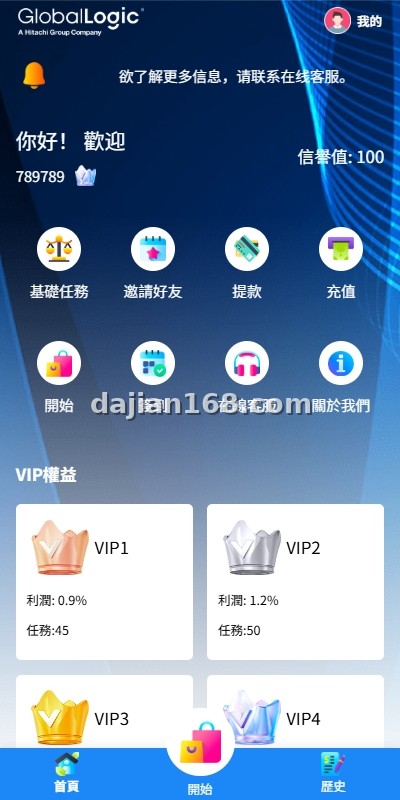
The new version uses UniApp for cross-platform compatibility, which means one codebase deploys to iOS, Android, and H5 simultaneously. The backend is PHP and fully open source, with no encryption anywhere. Key features include:
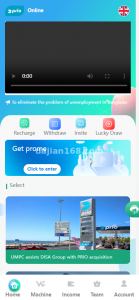
- Check-in System: Daily check-in rewards with streak bonuses. Users who sign in for 7 consecutive days unlock higher-value tasks.
- Task System: Configurable tasks with rewards. Admins can create new task types through the backend dashboard without code changes.
- Queue Lock: Multi-step task completion with incremental rewards. Users must finish tasks in sequence before the next task becomes available.
- Role-Based Permissions: Fine-grained access control that separates regular users, moderators, and administrators. Each role has configurable limits for reward rates, task assignment, and withdrawals.
The role-based permission system is what makes this version stand out. Unlike the previous version, roles now have granular control over reward rates, user assignment, and withdrawal limits.
2. Server Requirements and Initial Setup
Here is what you need before starting the deployment:
- PHP 8.0+ with Redis, Swoole, and fileinfo extensions
- MySQL 8.0 or MariaDB 10.5+
- Redis 6.0+ for session storage and queue management
- UniApp build environment with HBuilderX
- SSL certificate for both the API server and admin panel
- Recommended: 4 CPU cores, 8GB RAM minimum
I used CentOS 7 with PHP 8.1 and Redis 7.0. The client wanted the APP to launch on both Android and iOS, so I set up the UniApp project with HBuilderX and configured both cloud packaging and local builds. One thing that bit me: the PHP fileinfo extension is required for image uploads but is not enabled by default on minimal PHP installations. Always run php -m | grep fileinfo to verify.
3. Troubleshooting Common Issues
3.1 UniApp build fails on Android platform
The most common issue I saw was the UniApp Android build failing with Gradle build failed errors. This usually happens when the Java JDK version is incompatible. Use JDK 11 specifically, not JDK 8 or JDK 17. I spent half a day figuring this out before downgrading to JDK 11.
3.2 Check-in reward calculation mismatch
If the check-in reward does not match the configured value, check the timezone settings in config/app.php. The default is UTC, but for Southeast Asian markets you need to set it to Asia/Manila or Asia/Bangkok. I had a bug where users were signing in twice and getting double rewards because the day boundary was at the wrong time.
3.3 Role-based rewards not distributing correctly
The role-based reward logic uses a tiered calculation across different permission groups. If rewards are not appearing, enable SQL query logging and trace the calculation. In my case, the reward rate was being read from a cached config file instead of the database, so updates in the admin panel were not taking effect.
4. Customization and Extension Options
Since the full source is open, you can extend the system in many ways:
- Push notifications: Integrate Firebase Cloud Messaging for Android or APNs for iOS to remind users about sign-in streaks.
- Social login: Add Google, Facebook, or LINE login for easier onboarding in target markets.
- Multi-currency: The system supports USD by default, but you can add PHP, IDR, VND, or THB through the currency configuration.
- Custom task types: Beyond check-in and queued tasks, add video watching tasks, survey tasks, or referral tasks.
Pro Tip: Before launching, run a load test with at least 500 concurrent users. The queue lock logic creates database locks that can slow down under high concurrency. I used Apache JMeter to simulate the load and found a bottleneck in the task dispatch queue.
5. FAQ
Q1: Does UniApp support iOS App Store submission?
A: Yes. You can use cloud packaging in HBuilderX to generate IPA files, or build locally with Xcode. For App Store submission, you will need an Apple Developer account ($99/year) and must comply with their guidelines regarding in-app purchases.
Q2: Can I run this system on a Windows server?
A: While technically possible, I strongly recommend Linux (Ubuntu or CentOS) for production. Windows has compatibility issues with some PHP extensions and Redis. Most of my clients had issues when they tried Windows first and had to migrate.
Q3: How are role-based rewards calculated?
A: The system uses a tiered reward structure tied to roles. Base users earn the standard task reward, moderators earn a 10% bonus, and administrators can set custom rates. These values are configurable in the admin panel under Role Settings.
6. Disclaimer
For technical education only. This guide is provided for learning and demonstration purposes. It is not investment or business advice. Always comply with the laws and regulations of your jurisdiction when building or deploying any application.
#UniAppTaskSystem #OverseasAPPTaskDistribution #QueueLockAPP #RoleBasedPermissions #SigninRewardSystem