New UI Overseas Task Distribution System Setup: Queue Lock Feature and Automatic Task Matching Deployment Guide
New UI Overseas Task Distribution System Setup: Queue Lock Feature and Automatic Task Matching Deployment Guide
Disclaimer: This article is provided for technical education and demonstration purposes only. It is for technical education only and should not be treated as professional, financial, or legal advice. Any real-world platform built using these concepts must comply with all applicable local laws and regulations. The techniques described here must not be used for any illegal or deceptive activities.
A few weeks ago I worked on a demo project for a Southeast Asian market client who needed a brand-new overseas task distribution platform for micro-task workflow learning. The key requirement was that the frontend UI had to be completely redesigned, not using any of the generic templates flooding the market. The client also had three specific hard requirements: a queue lock mechanism, a task clearing mechanism, and automatic task matching. It took me about a week and a half to get the entire demo from source code to live deployment, and today I am documenting the whole process along with the pitfalls I encountered.
One, System Function Introduction
This demo system differs from traditional task boards mainly in its completely redesigned UI. The frontend supports English and Traditional Chinese, with the ability to add other languages through secondary development. The core functional modules are as follows:
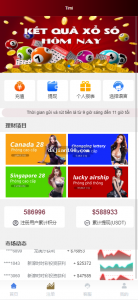
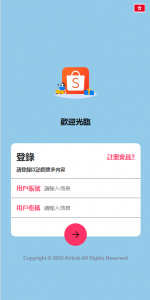
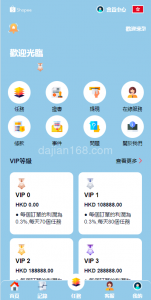
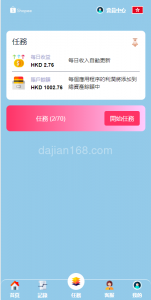
- Brand New UI Frontend Design: Abandoning the old bloated interface style, the new UI adopts a flat design with shorter operation paths. Users can go from registration to their first task assignment in just three steps.
- Queue Lock Feature (Sequential Task Lock): This is the most critical function. When a user claims a specific task, the system automatically locks subsequent tasks in the queue, requiring the user to complete the current locked task before continuing to claim new ones. This helps platform operators study retention and workflow sequencing in a controlled demo environment.
- Automatic Task Matching: The backend automatically pushes tasks with the highest relevance based on user level, activity score, and historical behavior, reducing manual selection costs in the demo.
- Task Clearing Mechanism: Supports clearing tasks by rules, such as members completing a specified number of tasks having their pending pool automatically cleared the next day, or forced clearing after reaching a full task count. This is useful for testing platform event operations.
- Multi-language Support: Currently built-in English and Traditional Chinese, language files are independent JSON, adding a new language only requires translation files and configuration changes.
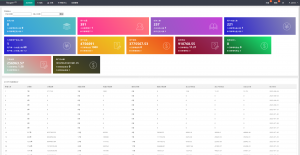
- Agent or Referral Tier System: Supports multi-level referral tiers for demo purposes. Each tier’s reward ratio can be adjusted in the backend, and agents can view their downline task completion data and simulated earnings in real time.
Two, Preparations Before Deployment
Before deploying this demo system, get the following environment prepared first:
- Server configuration: Recommend 4 cores 8GB minimum, because task matching and queue lock logic require real-time computation, demanding CPU resources.
- Runtime environment: PHP 7.4+, MySQL 5.7+, Nginx 1.18+, Redis must be installed (for task queue and queue lock state caching).
- Domain setup: For overseas demonstration use .COM or .NET domain; for production use, ensure all local filing and licensing requirements are met.
- Payment or reward channels: If you plan to connect real payment flows, apply for compliant third-party payment channels in advance. The demo system has built-in aggregated payment interface stubs for learning purposes.
- SSL certificate: Full site HTTPS is mandatory, especially if any real user data or transactions will be handled, certificate must be configured.
- SMS service: Registration and password recovery require SMS verification codes, recommend Twilio (overseas) or Alibaba Cloud (domestic) for demo testing.
Three, Common Issues and Pitfall Records
3.1 Queue Lock Logic Causes Infinite Loop
The queue lock logic is: after a user claims task A, the system locks task B. But if task B itself is also a lock-type task, a loop occurs and the user can never unlock the queue. The solution is to set “maximum queue lock depth” to 2 in the backend “Queue Lock Configuration”, auto-releasing beyond 2 layers.
3.2 Task Clearing Accidentally Deletes Historical Data
There are two types of task clearing: “mark clearing” and “physical deletion”. Initially I did physical deletion as requested, but the user’s historical records were also gone, backend data did not match. Later changed to mark clearing, only clearing the pending task pool while preserving historical task records, problem solved.
3.3 Automatic Matching Algorithm Too Concentrated
The automatic matching algorithm was initially too simple, only matching by user balance, causing all high-value tasks to be assigned to a few large-balance users, leaving small users with nothing. After optimization added a “matching weight” parameter: balance weight 40% + activity weight 30% + level weight 30%, giving small users a chance at quality tasks too.
3.4 Multi-language Switch Causes Font Misalignment
After switching to Traditional Chinese, some button text overflows because Chinese characters are wider than English. The frontend uses fixed-width layout without considering multi-language character differences. The solution was to change fixed width to min-width + max-width flexible layout, and add overflow:hidden and text-overflow:ellipsis to all button text areas.
Four, Customization and Expansion
Based on actual learning needs, this system can be expanded in the following directions:
- Smart Task Dispatch Algorithm: Use machine learning models to predict user task preferences, achieving personalized task recommendations and improving conversion rates in the demo.
- Risk Control System Upgrade: Add device fingerprinting, IP blacklist, behavior anomaly detection to prevent bot abuse and automated task farming in the demo environment.
- APP Packaging: Frontend is written in Vue, can be packaged into H5, then use Cordova or Capacitor to package into native APP.
- Points Mall: Task completion returns points, points can be exchanged for physical goods or virtual rights, improving user activity in the demo.
- Live Streaming with Task Distribution: Integrate a live streaming module into the task workflow, users can claim tasks in real time while streamers explain products, improving conversion.
Important Notice: Any real-world task distribution or micro-task platform involves user data, financial transactions, and virtual trading. Before operating, all required legal qualifications from local regulatory authorities must be obtained. The queue lock mechanism is essentially a workflow sequencing tool, and regulatory policies for such models vary greatly across different countries and regions. Never use these techniques for illegal fund pools, deceptive schemes, or other unlawful purposes; compliant operation is the long-term strategy.
Five, FAQ Frequently Asked Questions
Q1: Can the queue lock feature use custom trigger conditions?
A: Yes. The backend “Queue Lock Rules” supports setting triggers by task type, task amount, user level, time period, and multiple dimensions. For example, you can set “tasks over $100 automatically trigger queue lock” or “VIP users do not trigger queue lock” for testing purposes.
Q2: Does the task clearing mechanism affect user reward records?
A: No. Task clearing only clears pending tasks in the dispatch pool; completed tasks and corresponding reward records are fully preserved. Users can view all completed task details and rewards in “Historical Tasks”.
Q3: Can the automatic matching algorithm distribute tasks by region?
A: Yes. In the backend “Matching Rules” you can add geographical fence conditions, distributing specific tasks by user registration region or IP location. For example, you can set “European users优先 see high-value tasks” or “Southeast Asian users优先 see fast-moving tasks” for demo testing.
Q4: Is this system suitable for production use out of the box?
A: No. This system is a technical demonstration and learning project. Before any production deployment, you must add comprehensive security auditing, legal compliance review, data protection measures, real payment integration testing, and localized regulatory checks.
Q5: Which technology stack is used for the queue lock?
A: The queue lock state is managed through Redis, while task metadata and user progress are stored in MySQL. PHP handles the business logic, and Nginx serves as the reverse proxy. Redis provides fast locking and atomic operations, which makes it ideal for demo queue lock implementations.
#OverseasTaskDistributionSystem #QueueLockDemo #AutomaticTaskMatching #MultiLanguageTaskPlatform #NewUITaskPlatform
Disclaimer: This article is provided for technical education and demonstration purposes only. It is for technical education only and should not be treated as professional, financial, or legal advice. Any real-world platform built using these concepts must comply with all applicable local laws and regulations. The techniques described here must not be used for any illegal or deceptive activities.