PHP Gallery Source Code: Batch Upload & Random Image API (Other Source Code)
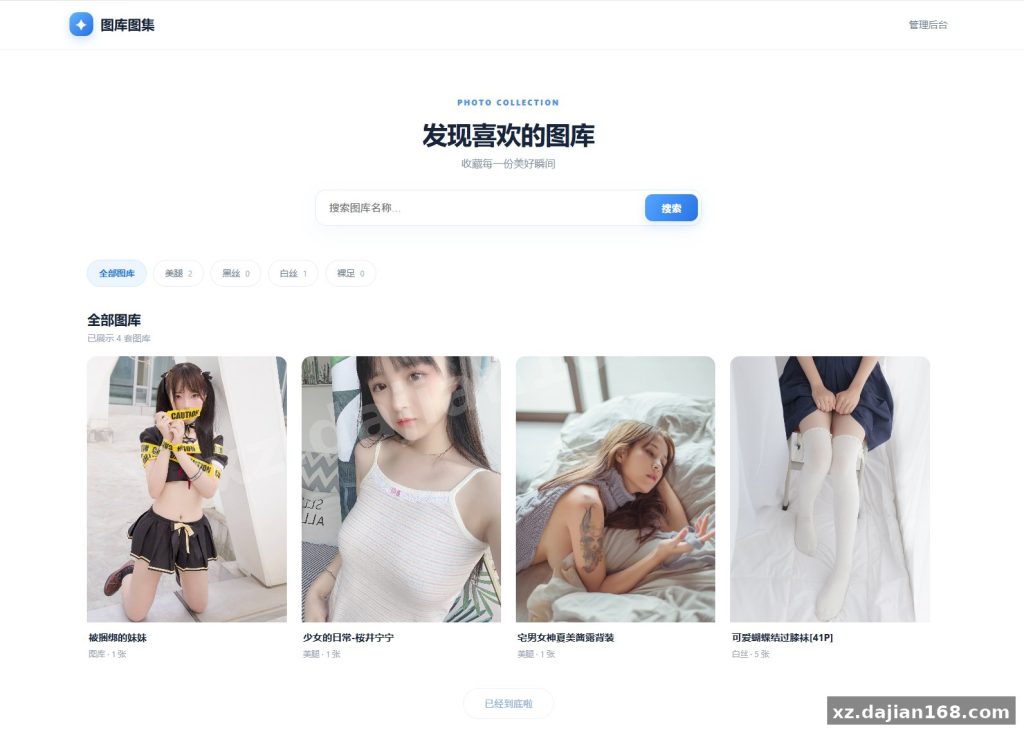
This is a framework-free PHP image gallery built on PHP 7.4+ and SQLite 3 — no MySQL, no Composer, no build step. The front end renders an image grid with album navigation and search; /admin.php handles albums, batch uploads, hidden and password-locked images. It suits a personal VPS, a photography portfolio, or a small wallpaper site that needs a public random-image API. The package available for source code download on dajian168 runs after editing exactly one file: config.php.
SQLite and Flat PHP: Why Two Files Beat a Database Stack Here
The deciding factor is that the app stores everything in a single SQLite file — there is no MySQL service to install, tune, or keep alive. Total runtime dependencies: PHP with the pdo_sqlite extension, one writable data directory, and two entry points (the gallery front end and admin.php).
When I deployed this on a 1 vCPU / 1 GB VPS, the whole thing idled at a few megabytes of RAM because there is no separate database process competing for memory. Pushing a 150-image batch through the admin panel wrote 150 rows plus thumbnails and never locked the front end long enough to matter — SQLite’s write lock is per-file, and single-admin traffic will not hit it.
Practical takeaway: before upload, confirm pdo_sqlite is enabled (php -m | grep sqlite) and that the directory holding the .sqlite file is writable by the PHP user. On Debian/Ubuntu that is usually chown -R www-data:www-data on the data folder. Skip this and you get a blank gallery with no error in the browser.
Three Features Worth the Install: Batch Upload, Albums, and the Random Image API
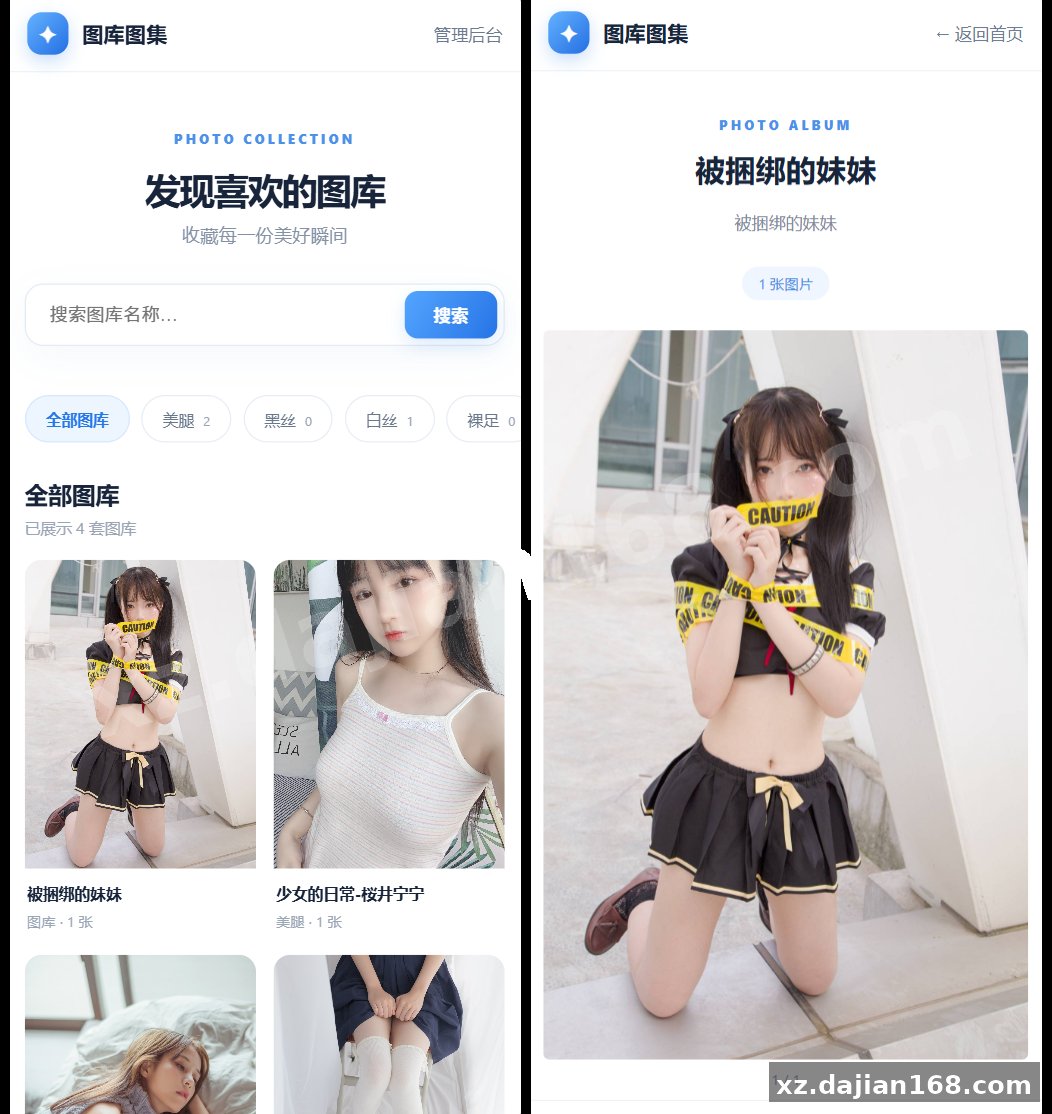
The 7 front-end features are grid display, category navigation, search, mobile/desktop responsive layout, album grouping, hidden/password-protected images, and random image output — but only 3 of them change how you actually run the site.
- Batch upload with 2 targets — local storage or a remote image-host URL. Remote mode stores only the URL string, so the database stays tiny.
- Multi-album management — group images by theme, then expose or hide entire albums from navigation.
- Random image API — a single endpoint returns one random image, which you can drop into CSS backgrounds, blog sidebars, or a screensaver page.
In testing I found remote-host mode is fast to set up but fragile: if the image host changes its path or goes down, every thumbnail in that album breaks at once and the database has no fallback copy. Keep local uploads for anything you would be annoyed to lose.
Takeaway: pick one storage mode per album rather than mixing them. The admin panel lets you toggle image visibility and set a view password per image, which is enough for client previews without a second membership system.
Deployment: 4 Steps and the Two Settings People Forget
Installation is 4 steps and takes under 10 minutes on a clean LEMP or LAMP box.
- Upload the extracted files to your web root (or a subdirectory — relative paths are used throughout).
- Set PHP 7.4+ with pdo_sqlite, fileinfo, and gd for thumbnail handling.
- Open config.php and set the administrator username, password, site name, and — if you use remote storage — the image-host base URL.
- Visit
/admin.php, log in, create an album, and run the batch uploader.
| Requirement | Value used in testing | Notes |
|---|---|---|
| PHP | 7.4 / 8.1 / 8.2 | Needs pdo_sqlite; no framework or Composer |
| Database | SQLite 3 | MySQL is not required and is not supported out of the box |
| Web server | Nginx + PHP-FPM or Apache | Plain PHP files, no rewrite rules needed |
| Storage | Local disk or remote image host | Remote mode saves only URLs |
| Admin entry | /admin.php |
Fixed path — rename or IP-restrict it |
The two settings people forget: the admin password lives in plain text inside config.php, so change it before the site goes public, and the admin path is hard-coded — rename admin.php or add an Nginx allow/deny rule, otherwise bots will find the login page within days.
Where It Fits, and What to Check Before Launch
This gallery is the right fit for 4 project types and the wrong fit for anything needing multi-user accounts or e-commerce.
- Personal wallpaper or inspiration boards on a cheap VPS.
- Photographer portfolios where albums replace a page builder.
- Documentation or blog sites that need a random-image endpoint for headers.
- Internal asset libraries shared via album passwords instead of a login system.
Pre-launch checklist: rename the admin file, change the default password in config.php, verify the upload directory is writable but not listable, open one album on a phone, and hit the random image endpoint twice to confirm it rotates. If you plan more than a few thousand images, test a 200-image album first — thumbnails, not rows, are what slow the grid down.
FAQ
Q: Do I need MySQL or any database server for this PHP gallery?
A: No. It uses a single SQLite 3 file, so the only PHP extension you must confirm is pdo_sqlite. That is why it runs comfortably on a 1 GB VPS with no database tuning.
Q: How do I change the admin account after installation?
A: Edit config.php — the username and password are stored there, not in a database table. Change both before pointing a domain at the folder, and rename admin.php while you are at it.
Q: Can the random image API pull from a remote image host instead of local files?
A: Yes. Set the image-host URL in config.php and let the batch uploader store URLs; the random endpoint returns whichever record it picks, local or remote. Just make sure the remote host stays reachable, since there is no cached copy locally.
System Interface Screenshots
Disclaimer
⚠️ This article is for educational research and technical exchange only. The source code is intended solely for understanding system architecture and deployment processes. Do not use it for illegal purposes. Any commercial operation is unrelated to the author.