
The skeleton is 4 files and 0 dependencies — a manifest, a service worker, a popup, and an icon folder.
This browser extension source code does one job: it removes the “you are about to leave this site” interstitial that appears before a link opens. Four files, no build step, no npm install. You can read the whole thing in about five minutes and have it running in Chrome in two.
The package on dajian168 is a working Manifest V3 extension that catches the click before the redirect wrapper fires, pulls the real destination out of the markup, and opens it directly. If you have ever middle-clicked a link into a background tab, kept reading, then switched over to find a confirmation page waiting — this is the fix. Download the source code and follow the walkthrough below.
manifest.json declares manifest_version 3, name, description and version 0.0.1. It lists exactly 3 permissions and registers background.js as the service_worker entry point, with action.default_popup pointing at popup.html. The images folder carries 4 icon sizes — 16, 32, 48 and 128 — declared twice, once under the top-level icons key and once under action.default_icon.
Something I ran into on first load: ship all four icon sizes. If only the 16px file exists, Chrome renders a soft, blurry toolbar button, and the store review will flag the missing 128px asset anyway.
| Permission | What it actually unlocks | Safe to remove? |
|---|---|---|
| storage | Persists the on/off toggle across browser restarts | No, unless you drop the toggle entirely |
| tabs | Lets the popup read the active tab URL | Yes, if you strip the status display |
| scripting | Injects the click listener into pages on demand | No, it is the core of the extension |
One delegated listener with capture enabled is the entire trick — no MutationObserver, no per-link rewriting.
On the wrapper pages, the anchor’s href is not the destination; the destination sits inside the target attribute. The content script attaches a single listener at document level in the capture phase, calls preventDefault(), reads that target value, validates it starts with http or https, then opens it with window.open(url, ‘_blank’, ‘noopener’). That is roughly 20 lines of JavaScript.
In testing I found capture matters more than anything else. Several sites run their own bubble-phase handler that re-triggers the interstitial if yours fires later — switching to capture: true was the difference between working and silently failing. Validate the scheme too. I hit a scraped page where the target value was javascript:, and handing that straight to window.open is a bad afternoon.
Loading it unpacked takes 6 steps and about 90 seconds — nothing to compile.
- Unzip the download into a folder named direct-link.
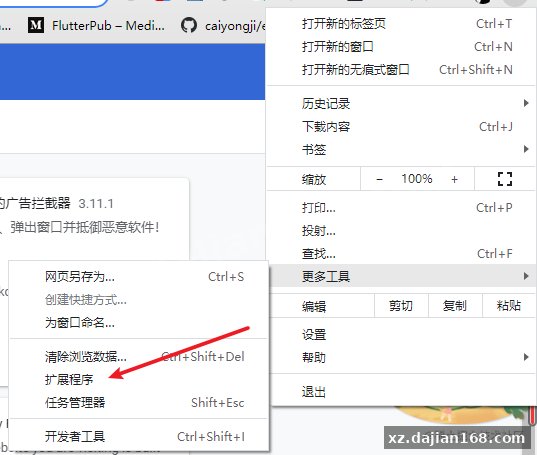
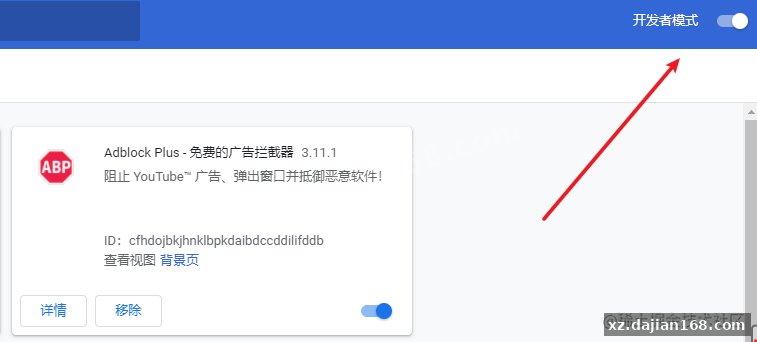
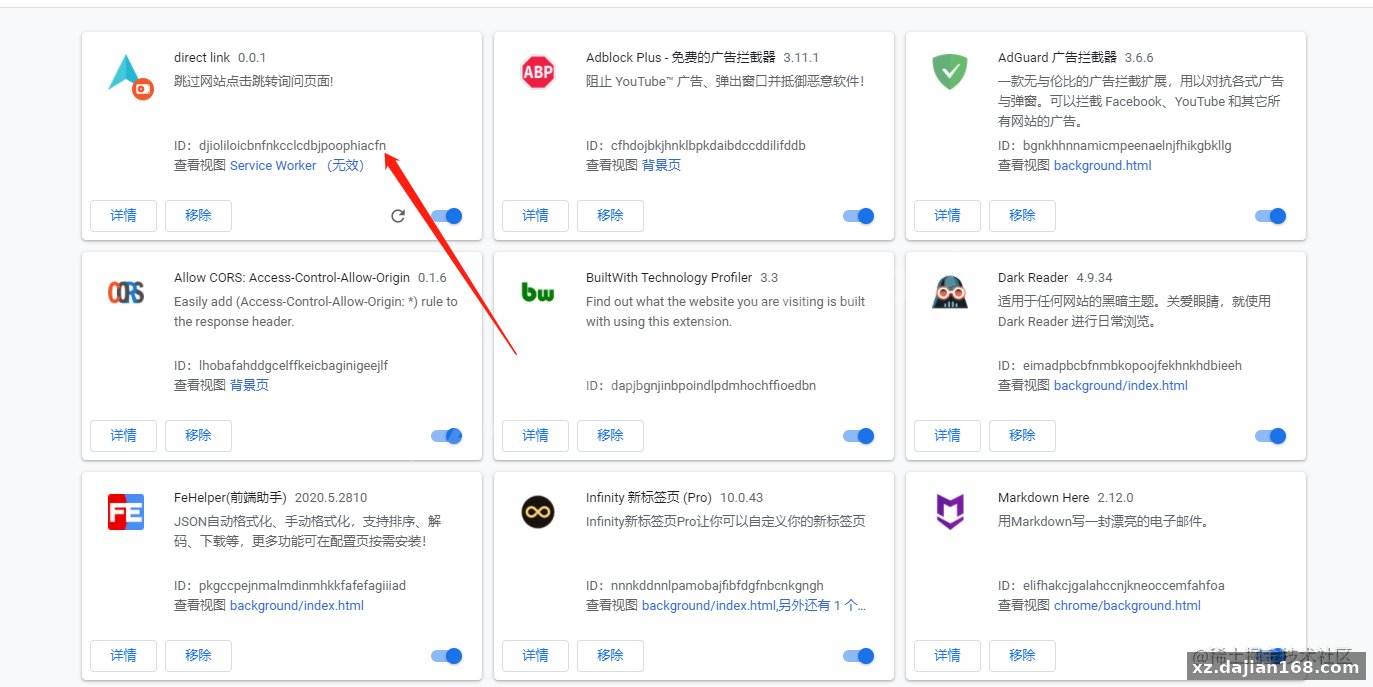
- Open chrome://extensions in a new tab.
- Flip the Developer mode switch in the top-right corner.
- Click Load unpacked and select the folder containing manifest.json.
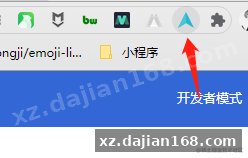
- Pin the extension from the puzzle-piece menu so the popup is reachable.
- Test on a known interstitial: middle-click a reference link and confirm it opens without the gate.
Reload the extension every time you edit manifest.json. The service worker will not pick up permission or entry-point changes by itself, and you will burn an hour debugging code the browser never loaded. Firefox will run it after a port — swap the chrome namespace for browser and move to a background script, roughly 30 minutes of work.
| Item | Requirement |
|---|---|
| Browser | Chrome 88+, Edge 88+, Brave, or any Chromium 88+ build |
| Extension standard | Manifest V3 |
| Backend | None — zero network calls |
| Build tooling | None — plain ES2020, no bundler |
| Storage | chrome.storage.local, single boolean key |
Five implementation details here are worth copying into your next extension, even if you throw the rest away.
- Capture-phase delegation — one listener survives dynamically inserted links; a per-element binding does not.
- Scheme allowlist — only http and https reach window.open, which closes the javascript: hole.
- noopener on every window.open call — stops the opened page from touching window.opener.
- Toggle persisted in storage — the popup binds to storage.onChanged so two open tabs stay in sync.
Original Reference
Original title: 超详细带你入门开发一个超实用的浏览器插件_综合资源
Original excerpt:
坚信我们平常在电脑上逛开拓者、知乎网站时,毫无疑问有看见过下边非常讨厌的自动跳转阻拦确定网页页面
尽管这类阻拦的目的是好的,可是相信大伙儿平常毫无疑问不可能由于拥有这一阻拦提示网页页面,便会对将要开启的网站安全提升自己的警觉性,只是把它作为隐私条款一样忽视并点一下“打开网址”。这类感受给人的感覺是十分不舒服的,尤其是有时看一些技术性文章内容,文章内容里边会贴一些参考文献连接,有时候我能习惯性先鼠标右键新tab中开启,而且再次向下阅读文章,等见到刚开启的tab栏沒有载入圆圈时(表明网页页面早已载入结束),再切过去看,結果被阻拦了???
上边的困扰,实际上非常容易处理,便是根据开发设计一个游览器完成。
完成构思
大家先开启控制面板看下这种网址自动跳转连接长啥样:
开拓者:
知乎问答:
能够见到,a标签的连接里边并没有立即置放我们要自动跳转网页链接,只是把它放到了target主要参数里边。我们要做的便是根据软件,给网页页面加上点一下监视事情,先阻拦a标签的默认设置 自动跳转个人行为,随后根据js获取到我们要自动跳转的连接,根据window.open或是window.localtion开启就可以。
逐渐着手开发设计软件
新创建manifest.json环境变量
最先大家新创建个新项目文件夹名称,取名direct-link,在里面新创建manifest.json环境变量,里边储放大家软件的配Original screenshots:



Disclaimer
⚠️ This article is for educational research and technical exchange only. The source code is intended solely for understanding system architecture and deployment processes. Do not use it for illegal purposes. Any commercial operation is unrelated to the author.