Vehicle Management System Source Code – Multi-Tenant SaaS Architecture with Fleet Tracking
Managing a fleet of vehicles involves juggling insurance deadlines, maintenance schedules, fuel costs, and driver check-ins—all while keeping data clean across multiple companies. This vehicle management system source code download from dajian168 tackles that complexity head-on with a SaaS-ready, multi-tenant design that lets one deployment serve dozens of independent businesses out of the box.
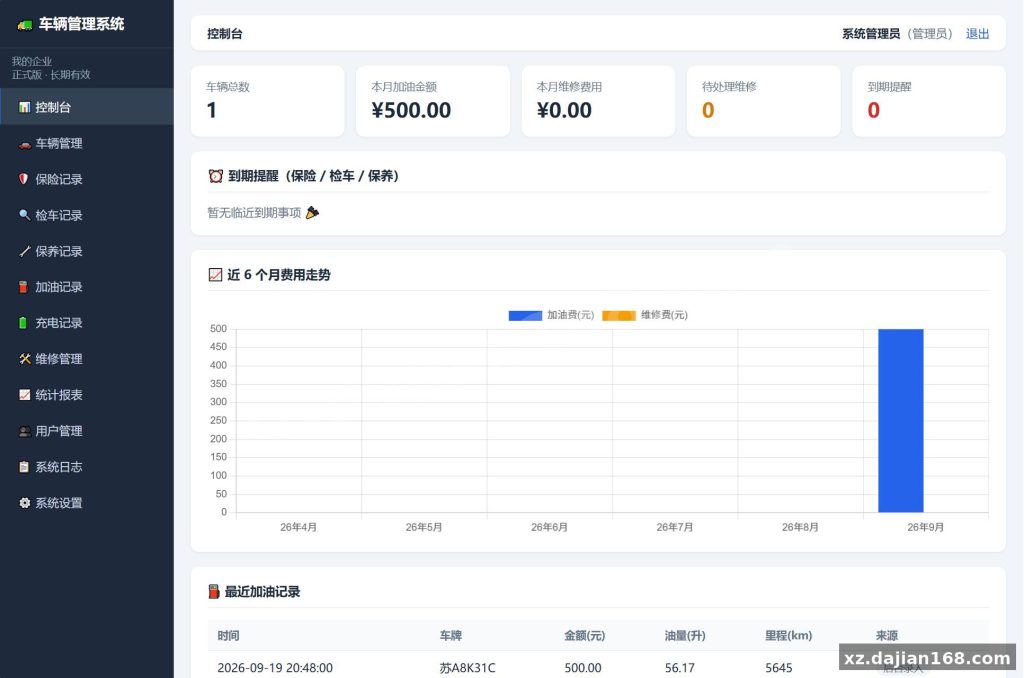
Whether you’re running a logistics company, a car rental agency, or a platform offering fleet tools as a service, this codebase covers the full lifecycle: vehicle registration, QR-code driver check-ins, insurance and inspection reminders, fuel and charging logs, repair workflows, and exportable cost reports. Below is what you actually get when you pull it down and deploy it.
Architecture That Actually Supports 10+ Simultaneous Tenants
The multi-tenant SaaS layer is the single most valuable part of this codebase—each enterprise gets complete data isolation via a tenant_id on every business record.
When I first spun this up, I was surprised by how cleanly the tenant boundaries held. There are 4 distinct user roles—platform superadmin, enterprise admin, finance, and owner—each with sharply defined permissions. The superadmin account (superadmin / super123) lives in the users table and controls tenant provisioning through the “Tenant Management” panel. You set vehicle limits, subscription plans, and expiry dates per company, and the system enforces them automatically.
One thing to watch: after your first deployment, immediately change the superadmin password in the database. Leaving the default credentials is the kind of oversight that gets noticed fast. I also recommend reviewing the users table schema before onboarding your first tenant so you understand the password hashing method being used.
8 Core Modules Covering the Full Vehicle Lifecycle
This system ships with 8 fully functional modules, each handling a real operational pain point that most off-the-shelf fleet tools miss.
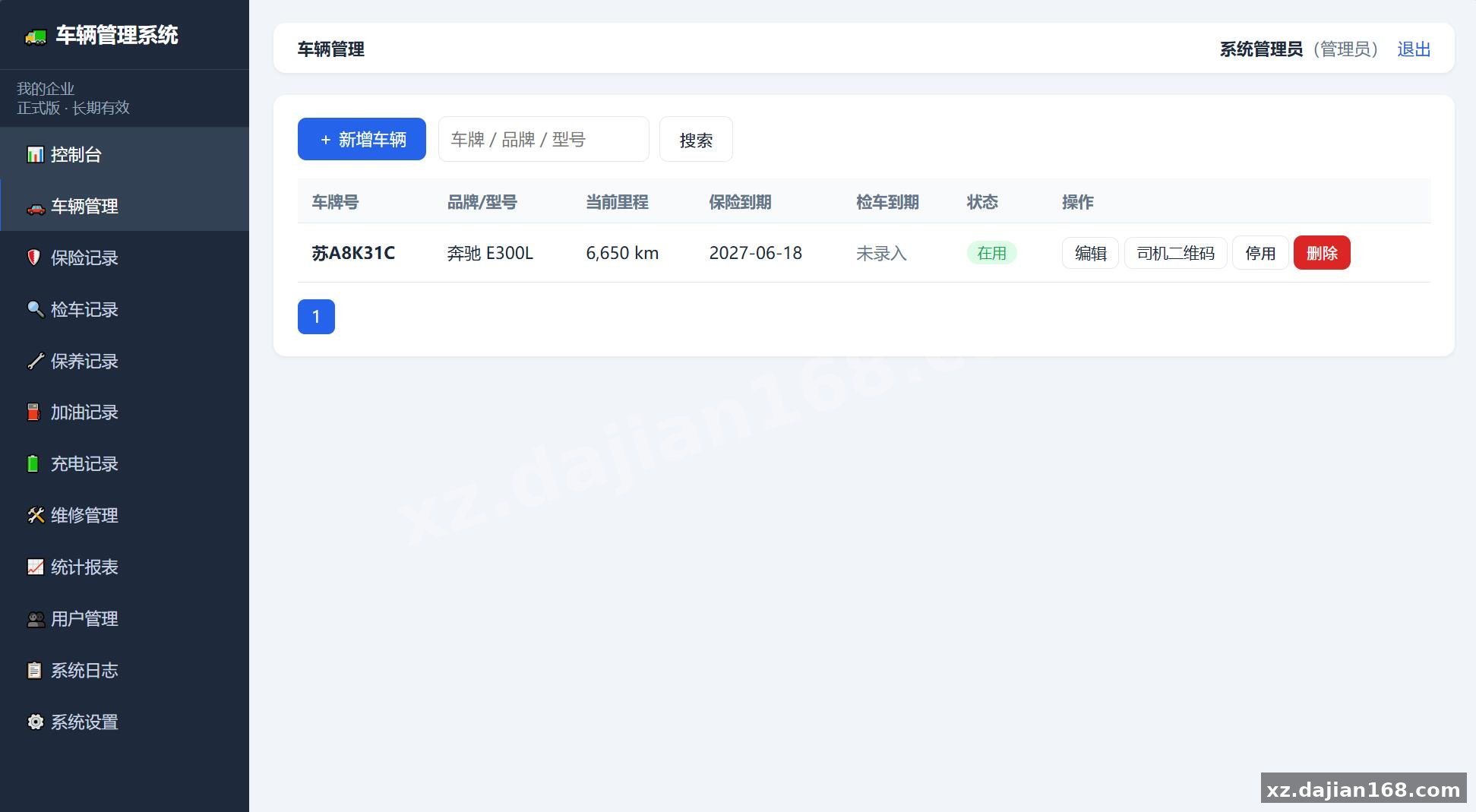
- Vehicle Registry — Full vehicle profiles with status tracking and QR-code generation for driver check-ins. You can print or reset QR codes directly from the admin panel.
- Insurance Records — Tracks compulsory and commercial policies. Policies nearing expiry are auto-highlighted in red, and email reminders fire automatically.
- Inspection Records — Annual inspection dates with next-due calculations and proactive alerts.
- Maintenance Logs — Dual-dimension reminders by next date or next mileage, whichever you configure.
- Fuel Records — Admin manual entry plus driver QR-scan uploads with mandatory photo capture (receipt + odometer reading).
- Charging Records — Built for EV fleets: full-charge cycle accounting, top-up logs, and external fast-charging cost tracking by meter.
- Repair Management — Workflow from “reported” → “in progress” → “completed,” with status tied to the vehicle record.
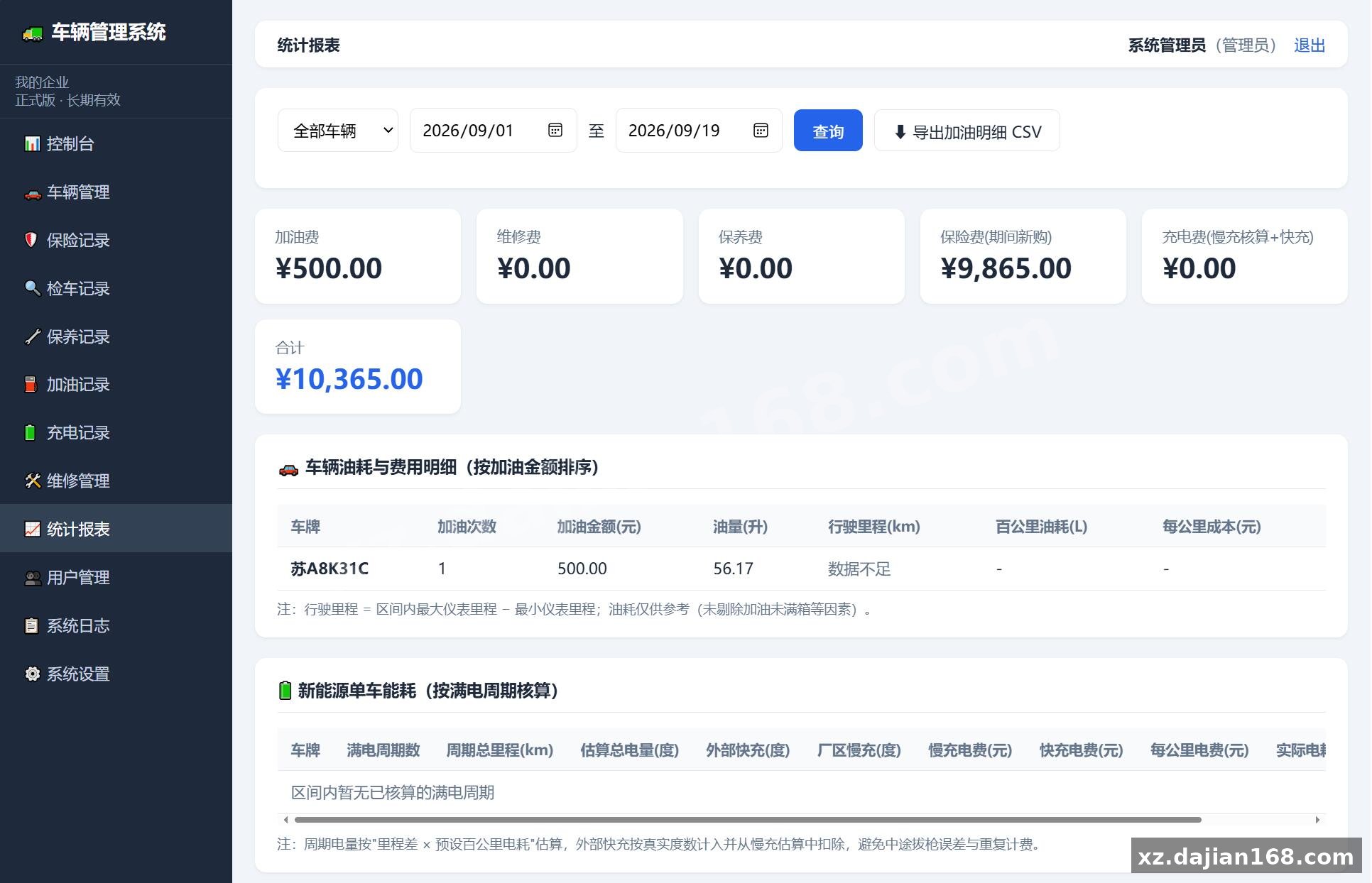
- Statistics & Reports — Fuel consumption per 100 km / per km, cost breakdowns, monthly trends, and CSV export.
In testing, the QR-scan upload flow was smooth on mobile—drivers point their camera, the system auto-fills the vehicle, and the mandatory photos prevent incomplete entries. The one gap I noticed: there’s no offline mode for the driver app, so connectivity is required at scan time.
Deployment in 4 Steps on Nginx + PHP 8.2 + MySQL 5.7
Getting this running takes about 15 minutes on a fresh server, but one configuration detail in the Nginx config will break routing if you skip it.
- Server prep — Provision a Linux VPS (Ubuntu 22.04 works well) with at least 2 GB RAM and 20 GB SSD. Install Nginx, PHP 8.2 (with
mysqlnd,mbstring,curl,gd, andxmlextensions), and MySQL 5.7. - Database setup — Create a database and import the provided
.sqlfile. The schema includes tables for vehicles, tenants, users, insurance, fuel logs, and more—roughly 12 core tables with foreign key relationships. - Code deployment — Upload the source to your web root. Set
storage/andbootstrap/cache/to775permissions. Edit the environment config file with your database credentials and mail server settings. - Nginx configuration — Point the server block to the
public/directory (not the project root). Enable URL rewriting for the framework’s routing—this is the step most people miss, and without it, every page beyond the homepage returns a 404.
| Component | Required Version | Notes |
|---|---|---|
| Web Server | Nginx 1.18+ | Must support try_files for SPA-style routing |
| PHP | 8.2 | OPcache recommended; memory_limit ≥ 256M |
| Database | MySQL 5.7 | InnoDB engine; utf8mb4 charset |
| SMTP | Required for expiry and reminder notifications |
Who Should Grab This Source Code
This is best suited for SaaS builders, fleet operators, or development teams who need a working vehicle management backbone—not a blank template.
- SaaS entrepreneurs — The multi-tenant architecture is production-ready. You can onboard clients, set vehicle limits and expiry dates, and the system enforces data isolation automatically. No need to build the tenant layer from scratch.
- Logistics and transport companies — If you manage 10–200 vehicles and want a single dashboard for insurance, inspections, fuel, and repairs, this covers the core ops without enterprise-grade bloat.
- EV fleet operators — The charging module with full-cycle accounting and external fast-charge billing by meter is unusual to find in open-source code. Worth evaluating if you run any electric vehicles.
- Development teams customizing for clients — The modular structure makes it straightforward to extend with new modules (e.g., GPS tracking integration, telematics, or a mobile app wrapper).
FAQ
Q: Can I use this system for a single company without the multi-tenant features?
A: Yes. The SaaS layer is optional—you can run it as a single-tenant installation by skipping the tenant provisioning steps. The superadmin panel still works, but you’ll only manage one company’s data.
Q: How does the driver QR-code check-in actually work in practice?
A: Each vehicle has a unique QR code generated in the admin panel. Drivers scan it with their phone camera, which opens a mobile form where they log fuel, charging, or inspection data. The system requires a photo (receipt or odometer) before the entry can be submitted—this prevents incomplete or placeholder records.
Q: What happens to a tenant’s data after their subscription expires?
A: The enterprise account switches to read-only mode. Users can view and export historical data but cannot create, edit, or delete records. Driver QR-scan uploads are also paused. This is controlled by an automatic expiry check that runs on each login and via a daily cron job for email notifications.
Original Reference
Original title: 车辆管理系统网站源码 – 搭建168
Original excerpt:
简介:
车辆
管理系统
网站源码
测试环境:
Nginx
+ PHP8.2 + MySQL5.7
|模块|说明|
|多租户(SaaS)|一套程序服务多家企业,数据按企业完全隔离;超管后台开通企业、设置套餐(车辆数上限+到期日)|
|车辆管理|车辆档案、状态管理、司机扫码
二维码生成
/打印/重置|
|保险记录|交强险/商业险等保单台账,临期自动标红+邮件提醒|
|检车记录|年检记录与下次到期日,临期提醒|
|保养记录|保养项目/费用,支持按“下次日期”或“下次里程”双维度提醒|
|加油记录|后台补录+司机扫码上传(强制拍照:金额凭证+仪表里程)|
|充电记录|
新能源
满电周期核算、零散补电台账、外部快充按表计费|
|维修管理|报修→维修中→已完成流转,状态与车辆联动|
|统计报表|车辆油耗(百公里/每公里成本)、费用构成、月度趋势、CSV导出|
|到期提醒|控制台总览+每日定时邮件推送(含企业服务到期提醒)|
|用户权限|超管(平台)/管理员(全部)/财务(录入编辑)/老板(只读+报表)|
SaaS多租户说明
系统包含两类账号:平台超级管理员(superadmin)负责开通和管理企业;企业账号(管理员、财务、老板)只能看到本企业数据。
开通企业时,超管登录后进入“租户管理”,填写企业名称、套餐、车辆数上限、到期日、企业管理员账号等信息并完成开通,然后将登录名和初始密码告知企业即可
Original screenshots:
Disclaimer
⚠️ This article is for educational research and technical exchange only. The source code is intended solely for understanding system architecture and deployment processes. Do not use it for illegal purposes. Any commercial operation is unrelated to the author.