Secondary Development Demo Trading Dashboard Setup: Multi-Instrument Market Simulation and Data Visualization Platform Deployment Guide
Secondary Development Demo Trading Dashboard Setup: Multi-Instrument Market Simulation and Data Visualization Platform Deployment Guide
⚠️ Disclaimer: This article is for technical education and demonstration only. It is not investment advice, and it does not describe a real-money trading platform. Anyone offering live financial services must hold the appropriate licenses and comply with local laws and regulations. No returns or profits are guaranteed.
Last year I inherited a secondary-development project for a demo trading dashboard. The original platform only handled currency-pair simulations, but the client wanted to add contract-style, basket-style, and benchmark-style instruments. When I reviewed the code, the architecture was too rigid: every new instrument type meant rewriting chunks of the matching and data-push logic. We spent nearly a month refactoring the whole system into configurable units — instrument management, market-data push, simulated order matching, and risk-control rules. This article records the deployment notes from that project.
1. Core Functional Modules of the Secondary-Developed Demo Dashboard
This secondary-developed demo dashboard was heavily refactored and expanded:
- Multi-Instrument Market Simulation Engine: a unified paper-trading engine supporting currency-pair simulations (30+ pairs), contract-style commodities (gold, silver, crude oil, copper, natural gas), basket-style instruments (ETFs, money-market baskets), and benchmark indices (Dow Jones, NASDAQ, Hang Seng). No real money is involved.
- Flexible Instrument Configuration: the backend can dynamically add new simulated instruments and configure market hours, spread ranges, fee templates, and risk-control parameters.
- Multi-Source Data Aggregation: simultaneously connects to 3-5 market data APIs, compares prices, and pushes the lowest-latency feed to clients.
- High-Concurrency Simulated Matching: Redis queue + multi-process matching engine supporting 10,000+ simulated orders per second.
- Comprehensive Risk-Control Simulation: includes per-user risk rules (single-order limits, daily paper-trading limits, available balance checks) and platform-level risk monitoring (position concentration, abnormal order-flow alerts).
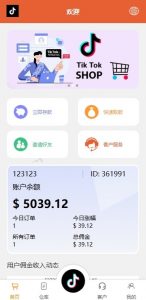
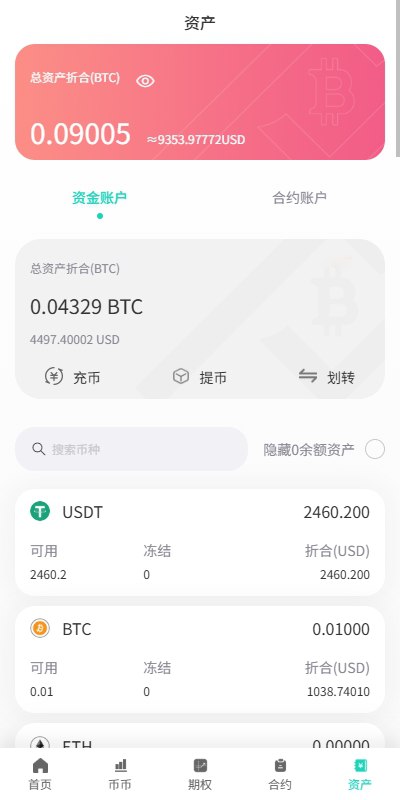
- Multi-Terminal Support: Web (Vue 3), H5 responsive, APP (Flutter), and mini-programs (Alipay/WeChat).
- Admin Dashboard & Data Visualization: complete paper-trading statistics, performance charts, user profiling, and agent performance reports.
2. Preparation Before Secondary Development
Before starting the secondary development, we completed these tasks:
- Original System Assessment: reviewed the existing code structure, database tables, and API documentation; determined which modules could be reused and which needed refactoring.
- Technology Stack Unification: upgraded the backend to PHP 8.1 + Laravel 9 and rebuilt the frontend with Vue 3 + Vite, dropping the old jQuery code.
- Database Refactoring: the original schema did not support multi-instrument data, so we added tables such as product_type and instrument_config and performed data migration.
- Market Data Integration: integrated three market data providers (domestic Tonghuashun, foreign IEX Cloud, and an MT4 bridge), with at least two backup feeds per simulated instrument.
- Multi-Language Packaging: extracted locale files, added i18n support, and prepared the frontend for left-to-right and right-to-left layouts.
- Testing Environment Setup: built a complete testing environment including a simulated market-data push service, a simulated matching engine, and stress-testing tools.
- Payment Integration Examples: prepared sandbox-only payment examples (Stripe, Alipay, WeChat Pay) for topping up virtual balances, with no real capital movement.
- Documentation: recorded all secondary-development changes in the Wiki for future maintenance.
Important Experience: the biggest risk in secondary development is deploying changes incrementally while a live environment is running. Always test every feature in the testing environment before touching production. During testing, we found more than a dozen hidden bugs in the original code; pushing them straight to production would have been a mess.
3. Common Issues and Technical Challenges
3.1 Unified Multi-Instrument Market Data Push
Different instruments use different data formats: currency pairs use bid/ask, contract-style instruments use latest price plus change percentage, and benchmark indices only need point values. Our solution:
- Define a unified market-data format (JSON Schema).
- Write an adapter for each data source to convert raw data into the unified format.
- The WebSocket server subscribes to the Redis unified market-data channel; clients subscribe by instrument ID.
3.2 Contract-Style Risk-Calculation Logic
Contract-style simulations are more complex than currency-pair simulations because they involve contract multipliers, minimum tick sizes, and risk-control reserve ratios. We encapsulated the logic into an independent service class (RiskCalculator) with different methods for each instrument type.
3.3 Basket-Style T+1 Settlement Rules
Basket-style instruments can be configured with T+1 settlement rules: simulated positions created today cannot be closed until the next simulated trading day. The system checks available position quantity before accepting an order and updates it automatically at midnight using Laravel scheduled tasks.
3.4 Market Hours Management
Simulated instruments run on different market hours: currency pairs can run 24 hours, contract-style instruments can have day and night sessions, and benchmark indices have fixed trading windows. We added a market_hours field in the instrument configuration table, stored as JSON, and validate the current time before accepting an order.
3.5 Frontend/Backend Separation and API Design
The frontend and backend communicate through a RESTful API and a WebSocket channel. The Vue 3 frontend handles all UI rendering, charting, and real-time updates, while the Laravel backend handles authentication, instrument configuration, simulated order matching, and data persistence. MySQL stores persistent data, and Redis handles caching, queues, and pub/sub market-data channels.
4. Extended Features from Secondary Development
After the core modules were stable, we added these optional features:
- Social Paper-Trading Following: users can follow a “signal source” and auto-replicate demo orders proportionally.
- Cross-Instrument Spread Simulation: simulate price relationships between two benchmark indices (for example, the spread between two broad-market indices) for educational observation only.
- Paper Trading Onboarding: new users receive a virtual balance of 100,000 demo credits to practice; market data is identical to the simulation environment, but orders stay in the demo matching engine.
- User Tiering: classify users into tiers based on simulated activity and balance; higher tiers see different fee-rate visualizations and demo position scaling limits.
- API Interface: provide a complete RESTful API and WebSocket API so third-party quantitative tools can connect to the demo environment for back-testing or UI experimentation.
5. Frequently Asked Questions (FAQ)
Q1: What are the main improvements in this secondary-developed version?
A: The biggest changes are: support for multiple instrument types (the original only handled currency pairs), a refactored simulated matching engine, optimized market-data push logic (latency dropped from around two seconds to under half a second), a risk-control module, and better database indexing.
Q2: How much do multi-source market data feeds cost?
A: Prices vary widely. Free public interfaces (such as Sina or NetEase) have higher latency and are fine for demo use. Professional data providers typically charge 5,000-20,000 yuan per month. Exchange-paid data services for contract-style feeds can cost about 10,000-30,000 yuan per month. Benchmark data is usually cheaper and has adequate free options. For a demo or educational prototype, budget roughly 10,000-50,000 yuan per month if you need professional feeds.
Q3: Can the system connect to MT4/MT5 for demo data?
A: Yes. We developed an MT4 bridge plugin that synchronizes quotes and simulated order data with our platform in real time. Users see the same market data on the web dashboard, and orders are reflected in the demo environment. Note that bridging introduces some latency, usually 50-200 milliseconds.
Q4: Is it legal to run this demo dashboard in production?
A: If it is used only for technical education, internal testing, and simulation, it generally does not require a financial license. However, once it accepts real money, offers real market access, or provides financial advice, it almost certainly needs appropriate licenses and must comply with local laws. This article is not legal advice; consult a qualified professional for your jurisdiction.
Q5: How do the payment integration examples work?
A: They are sandbox implementations. We integrated Stripe test mode, Alipay sandbox, and WeChat Pay sandbox so users can top up virtual balances with fake credentials. No real money is ever transferred, and the payment flows are intended only as reference code for a real licensed system.
#secondarydevelopment #demotradingdashboard #marketdatavisualization #papertradingsystem #multiinstrumentsimulation
⚠️ Disclaimer: This article is for technical education and demonstration only. It is not investment advice, and it does not describe a real-money trading platform. Anyone offering live financial services must hold the appropriate licenses and comply with local laws and regulations. No returns or profits are guaranteed.