Building a Short Video Content Distribution and E-Learning Platform with FastAdmin and PHP
Building a Short Video Content Distribution and E-Learning Platform with FastAdmin and PHP
Disclaimer: This article is for technical education and demonstration only. It is not professional or financial advice. Any real-world deployment must comply with applicable laws and regulations.
Last week, I helped a friend in the online education sector deploy a custom content distribution platform. He had accumulated a massive library of skill-training short videos along with matching illustrated study guides, and wanted his own platform to monetize this knowledge. After evaluating several options, we settled on a short video system built on the FastAdmin framework. It also came with an integrated e-book and novel reading module, which was perfect for combining his video courses with text materials. Since I just handed over the project today, I wanted to document the entire deployment process and system architecture as a reference for developers with similar needs.
Core Features and Business Module Testing
The underlying source code is built on ThinkPHP and FastAdmin. Any developer who has done secondary PHP development will feel right at home here—the admin dashboard has virtually no learning curve. I focused my testing on its content delivery logic and commercial monetization modules, and the overall completeness is quite impressive.
1. Multi-Mode Content Monetization and Access Control
The core of any content platform is permission control. This system handles video-on-demand (VOD) with very granular settings. When uploading video courses in the backend, you can set individual preview durations—for example, making the first 30 seconds free before requiring an unlock. It supports three monetization models: single episode or series purchases, which work well for high-ticket premium courses; recurring monthly or quarterly VIP memberships that unlock specifically tagged content across the entire site; and a viewing voucher mechanism. Users can earn vouchers through daily check-ins or referral campaigns and use them to redeem single views. This combination works great for boosting user retention.
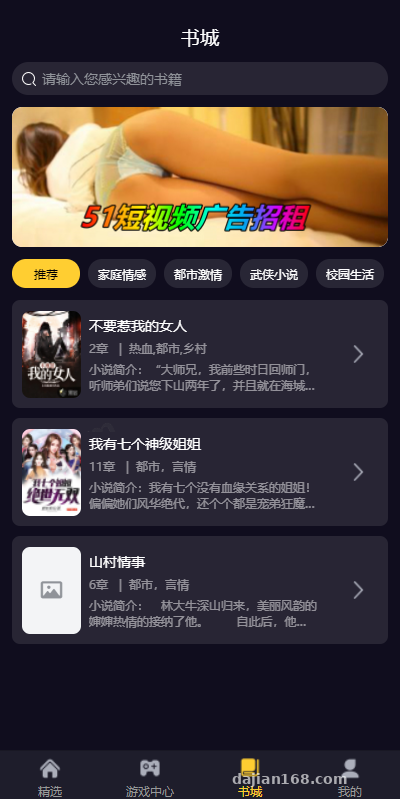
2. Dual Engine: Short Video Feed and Text Reader
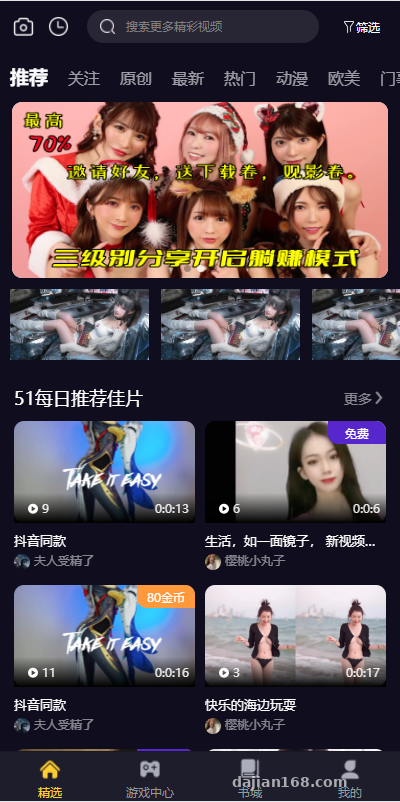
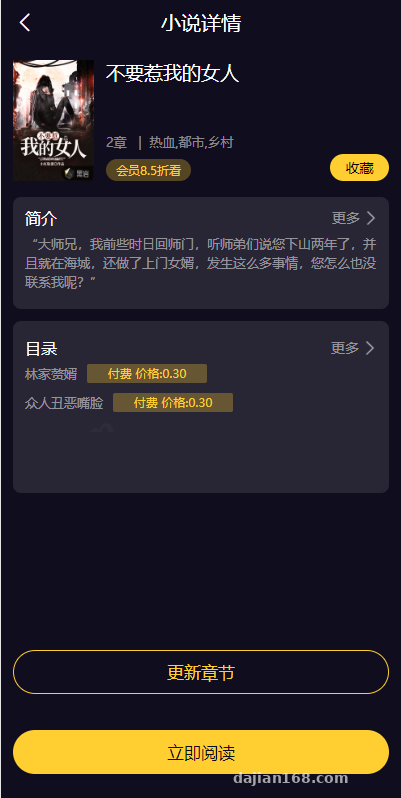
The frontend uses the popular vertical-swipe short video feed design. The preloading mechanism is decent, allowing the next video to play almost instantly when swiped. Alongside the video module, the system includes a standalone text and e-book reading engine. While originally designed for serialized web novels, I modified it into an “Electronic Course Handout” section for my friend. It supports chapter directories, reading background color toggles, and font size adjustments. Just like the videos, chapters can be locked behind a paywall or made free for members, achieving a hybrid distribution of audio-visual and text content.
3. Recommendation Algorithm and Multi-Language Frontend Potential
The default homepage recommendation feed relies on a hybrid logic of tag weights and manual backend pinning. When a user spends significant time watching videos in a specific category, the system records preference cookies and prioritizes content with the same tags on their next refresh. Because the frontend code is decoupled and cleanly structured, scaling this into an overseas short-drama app or global e-learning platform later on is straightforward. You can easily extract the frontend language packs to build a multi-language switcher without heavily modifying the backend APIs.
Webmaster Pitfall Warning: For video systems, never store audio and video files directly on your web server’s local hard drive! Even with just a few dozen concurrent users in the early stages, video streaming will instantly max out your server bandwidth and freeze the backend. During deployment, always configure third-party cloud storage (like Alibaba Cloud OSS, Tencent Cloud COS, or AWS S3) in the backend plugin manager, and enable CDN acceleration.
Server Environment Deployment and Configuration Essentials
This system isn’t overly demanding on server hardware, but overlooking certain details will trigger errors. For this deployment, I used a 4-Core 8GB cloud server running CentOS 7.9 managed via the Baota (aaPanel) control panel.
- Runtime Environment Specs: Nginx 1.20 + PHP 7.3 + MySQL 5.7 + Redis 6.0. Be careful not to use a PHP version that is too high; 7.2 or 7.3 offers the best compatibility, whereas 7.4 and above may throw syntax deprecation warnings on some older components.
- PHP Extensions and Functions: You must install
redis,fileinfo, andsg11(only if core files are encrypted; the version I got was fully open-source, so I skipped sg11). Also, head into your PHP settings and removeputenv,proc_open, andpcntl_execfrom the disabled functions list, otherwise the CLI task queues won’t run. - Running Directory and URL Rewriting: The website root directory must point to the
/publicfolder, which is standard for FastAdmin. For URL rewriting, simply select the built-inthinkphprule in your panel; otherwise, all frontend API calls will return 404 errors. - FFmpeg Environment Setup: If you want the system to automatically capture the first frame of an uploaded video as its cover image, you must install FFmpeg at the Linux OS level and enter its exact absolute path in the backend system settings.
Who Should Use This Source Code for Secondary Development?
After working through the whole setup, I find this source code ideal for small-to-medium content startups, internal corporate training platforms, or niche educators. Because it uses the standard FastAdmin architecture, finding PHP developers who understand ThinkPHP is effortless, keeping secondary development costs remarkably low. If you want to add referral marketing features or integrate enterprise webhook notifications, you can either grab a ready-made add-on from the official plugin market or write a custom controller yourself. It easily saves at least two months compared to building from scratch.
Frequently Asked Questions (FAQ)
Q: Why does uploading a several-hundred-megabyte HD tutorial video from the frontend always fail with an error?
A: This is caused by default Nginx and PHP upload limits. Go to your control panel’s PHP configuration and increase both upload_max_filesize and post_max_size to 500M or higher. At the same time, increase client_max_body_size in your Nginx config and restart the services. An even better approach is enabling direct frontend-to-cloud storage uploads so large files bypass your web server entirely.
Q: Is the built-in payment gateway easy to integrate? Which channels are supported?
A: The underlying system integrates FastAdmin’s official epay plugin, which natively supports WeChat Pay (Official Account, H5, Mini Program) and Alipay (Face-to-Face, Mobile Web). As long as you have valid merchant credentials applied for with a business license, you just plug the AppID, merchant ID, and secret keys into the backend to get payment callbacks working immediately.
Q: Video playback lags heavily when dragging the progress bar. How can I optimize this?
A: Directly uploading large raw MP4 files will always result in a poor web playback experience. I recommend enabling an “Audio/Video Transcoding” workflow in your cloud storage dashboard to automatically slice and transcode uploaded MP4s into M3U8 (HLS protocol) format, then saving the generated m3u8 URL back to your database. Chunked loading completely resolves scrubbing lag and provides basic hotlink protection.
Disclaimer: This article is for technical education and software architecture discussion only. Any individual or team utilizing related systems must strictly comply with local laws and regulations, ensuring proper content moderation and copyright compliance.
Disclaimer: This article is for technical education and demonstration only. It is not professional or financial advice. Any real-world deployment must comply with applicable laws and regulations.
#FastAdmin #E-Learning Platform #Short Video Source Code #Webmaster Notes #PHP Development
-
 Alipay QR Code Scan
-
 WeChat Scan Pay